LG LT20-188R - notebook + Tablet PC

Author:
Date: 10.11.2004
|
|
Today, you can't thrill anyone with a notebook PC - the prices are gradually going down, and some computers become affordable even to those who did not ever dream of that before. Especially nice is that notebook PCs of absolutely different, a bit nontraditional designs, are appearing.
Take, for instance, the emergence of Tablet PC computers in the High-Tech world aroused a storm of positive emotions among potential buyers. However, the user can't do with merely one "tablet", and to be fully comfortable when working at the monitor, you have to buy extra at least a notebook PC, or even a desktop PC, a PDA and lots of other modern devices. Of course, that adds to the budget and the mass of your carrying bag.
The way out is in merging these devices. In my view, such approach is in fashion today. Many manufacturers have already released "notebook + tablet PC" computers, but it's not so easy to create the "right" hybrid. Just see for yourselves - at functionality, that should be a full-featured notebook PC of "tablet" sizes, weight and thickness.
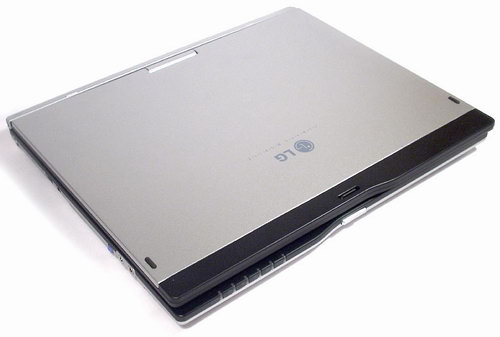
Today we'll see how LG coped with that task having implemented the idea in its LT20-188R hybrid.
Specifications
| Processors |
Intel® Pentium® M 1800 MHz (2 MB of L2 cache) |
| Chipset |
Intel® 855GME 400MHz
|
| Display |
12.1'' 1024x768 16.7 mln |
| Hard disk |
80 Gb ATA-100
|
| Memory |
512 Mb DDR333 |
| Video subsystem |
Intel® 855GME GMCH 64MB UMA SDRAM
|
| Audio subsystem |
AC97 / Integrated speakers |
| I/O ports |
LPT / FIR (IrDA1.1) / Monitor port (VGA) / IEEE1394 (FireWire) / RJ45 (LAN) / RJ11 (fax/modem) / USB 2.0 (3 pcs.) / Line in / Microphone in
|
| Network subsystem |
RTL8139 10/100 Mbit/s Ethernet LAN |
| Wireless communications |
Intel® PRO/Wireless 2100 802.11b
|
| Modem |
V.44, V.90 |
| Battery |
Li-Ion 6 hrs
|
| Physical characteristics |
289х243х26.5mm / 1.75 kg |
Package bundle
The box of LT20 is light, compact and stylish - neither faceless nor flashy like a parrot.
Along with the thoroughly packaged notebook PC, inside the box there is one more box containing all whatever needed for work: a battery, a power adapter with network cable, a modem cable, additional full-sized digital pen (the smaller one is inserted in the notebook itself), a tissue paper for cleaning the monitor, a super-brief installation manual, a manual on Windows XP Tablet PC Edition and a guarantee coupon.
No additional CDs or instruction leaflets were in the bundle.
Design and exterior
Exterior
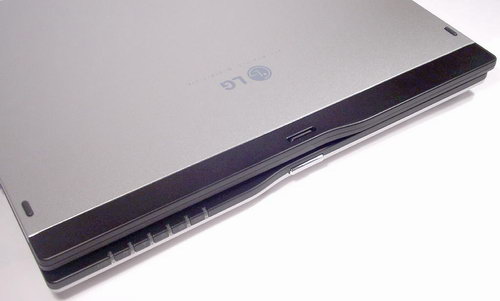
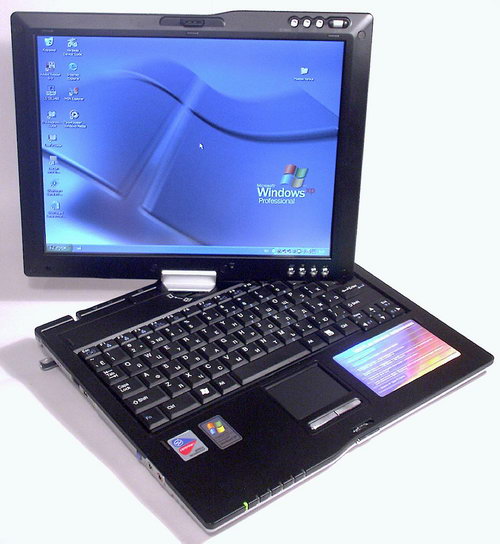
The stylish silvery notebook PC by LG proved to be quite small. In any case, it won't be a burden in your carrying bag.
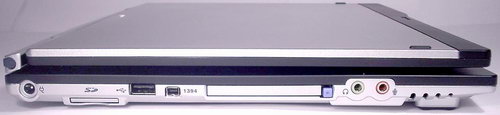
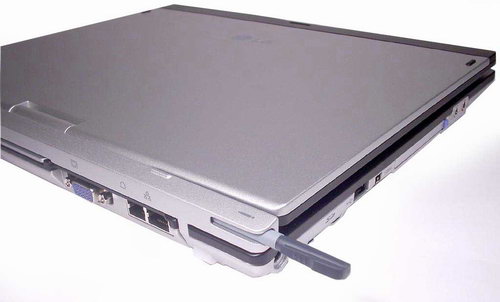
The main colors are silvery and black, nothing redundant. All the connectors are positioned on the left and rear sides. On the left side, there is a connector for plugging in a power supply adapter, a card reader for SD cards, a USB port, an IEEE 1394 port, a slot for PCMCIA cards, and a couple of sockets for mini-jacks - audio input and output.
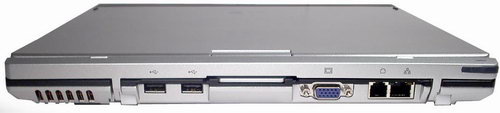
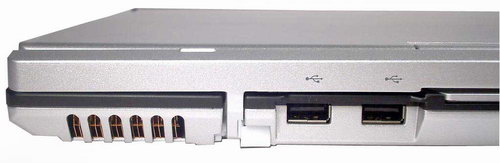
On the back, there are two more USB ports,
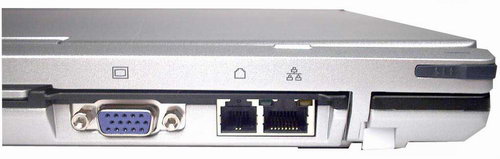
a VGA output to plug in an external monitor, and two connectors for plugging in an integrated modem to the telephone line (RJ-11) and to connect the notebook to LAN (RJ-45).
Besides, on the back there is a jack with a small digital pen to operate the computer.
That's it... as you can guess, no CD-ROM drives are provided. Clearly, the compact dimensions of the hybrid proved possible owing to that, which made it not only a notebook, but a tablet PC. On the whole, that's not bad at all - the only shortcoming is that you would need an external power source for the external optical drive.
There is also another shortcoming - the computer is not shipped with an external CD-ROM drive, so you would have to buy it elsewhere. Perhaps, the manufacturer thought that such thing like a CD-ROM drive may be of use far not to all users. A strange approach, isn't it?
What is really cool is that the number of USB ports is as many as three, with more on two different sides, as well as the IEEE 1394 won't be an excess, especially for plugging in a digital camera.
But.. let's move on. Over the right side of the computer, along with the vent holes to cool the hot heart of the machine, there is a jack for the security lock.
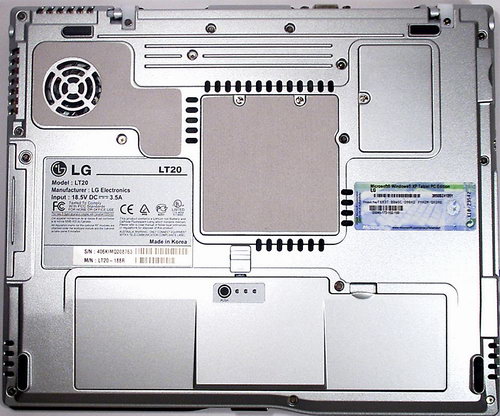
The silvery bottom of the computer apart from the rubber legs has special soft light inserts on the vital components.
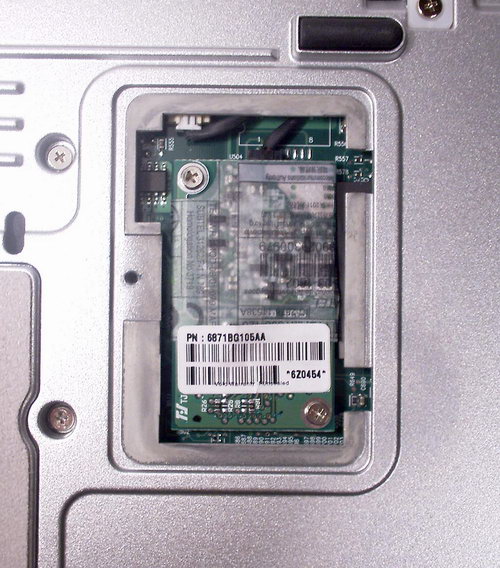
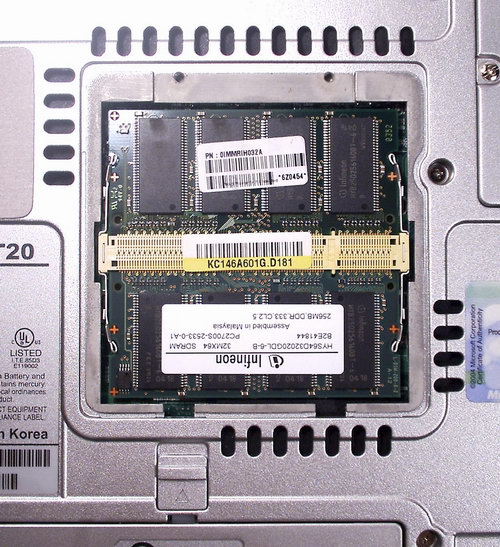
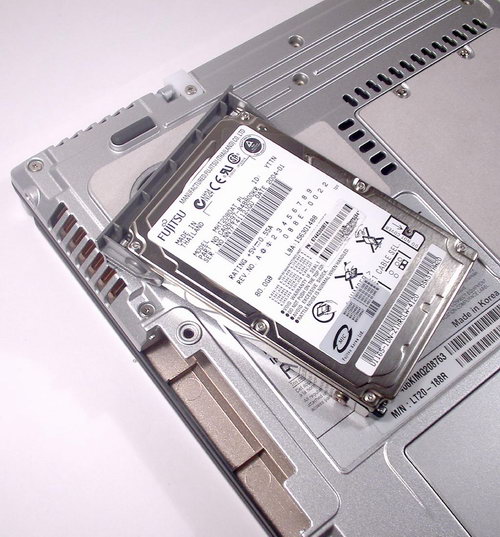
What really appealed is that despite its hybrid character, the device provides easy access to all the interiors necessary for upgrades - to the memory modules,
and to the HDD.
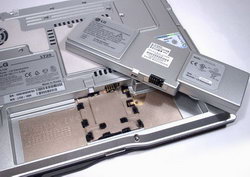
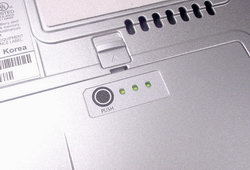
I really liked the battery - it offers three indicators that light up on pressing the Push button depending on the charge level.
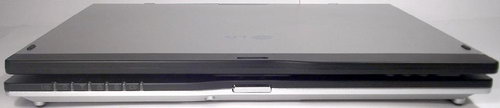
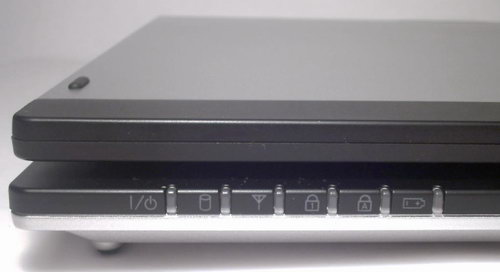
I intentionally left the front panel "for dessert".
It is all clear with the indicators - they are as many as six! This number is caused by that while in a regular notebook PC you could read information from LEDs inside the housing, here in the Tablet PC you simply won't see them.
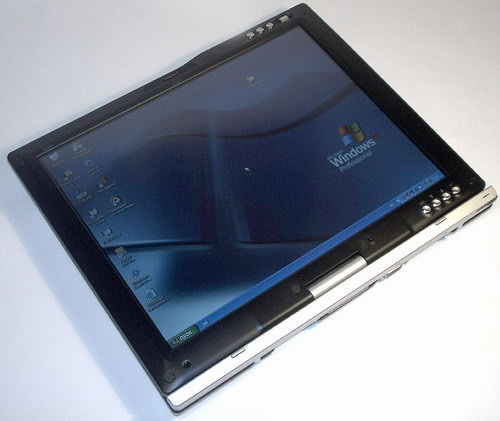
Note the stylish geometry of the front panel - it is skew-symmetric. In making a notebook into a Table PC, the lines of the display cover will fully match the casing. A very smart design solution.
Under the cover
I will tell about this transformation in what follows, but for now let's look inside the cover of the notebook.
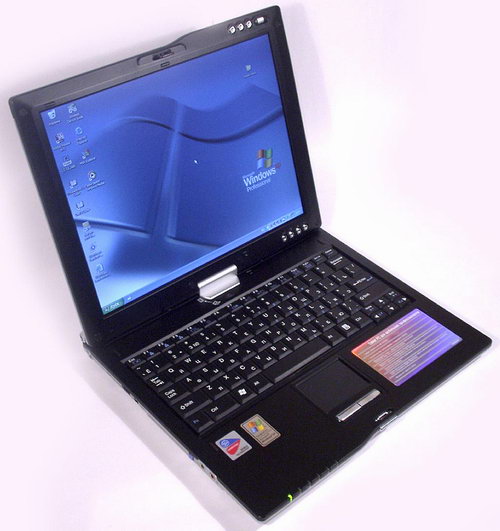
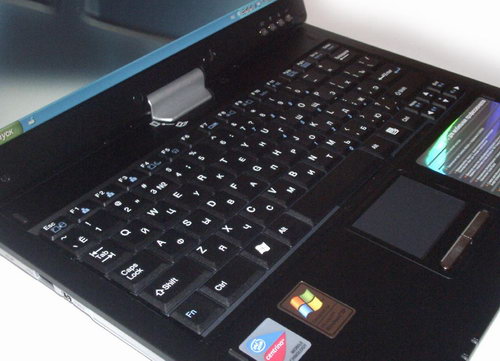
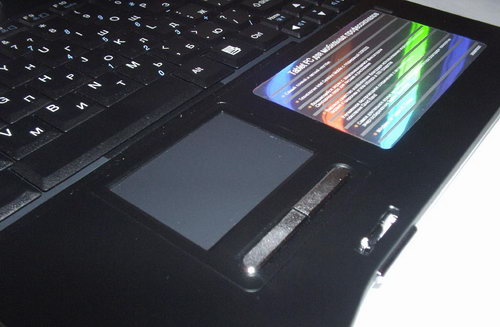
While silvery is the main exterior cover, it is black inside. Looks very effective. Even the keyboard does not protrude - it is as black as the casing.
Under the same touchpad, there are two oblong silvery keys. The swinging key used instead of the mouse wheel is missing - not very good, but it works well for a hybrid.
The only speaker is fitted under the LCD - otherwise it would have been hidden by the screen whenever the device runs in the Tablet PC mode.
Those six operation indicators which I mentioned above are made in a way facilitating the view form above, i.e. with the cover opened. It's a pity LG decided not to sign then from the top - the operation is not that difficult.
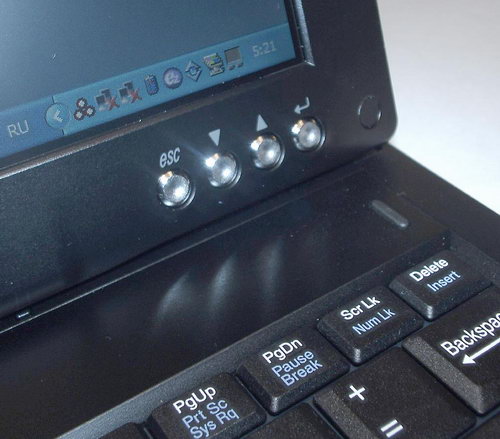
All the control buttons, as they should be, are positioned around the LCD panel. In the bottom right part, there is Esc, a couple of "up" and "down" arrow keys, and "Enter".
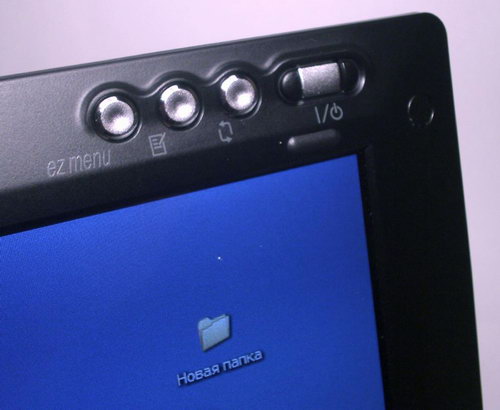
In the top-right corner there is the EZ Menu, a button to start the Windows Journal, a button to rotate the image and the Power button.
Tablet PC
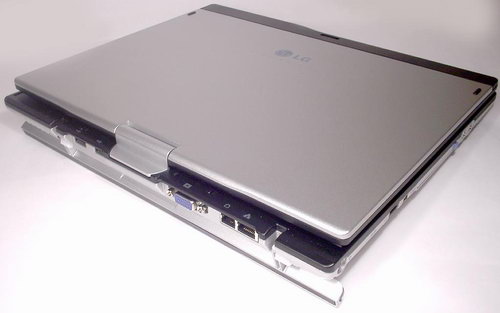
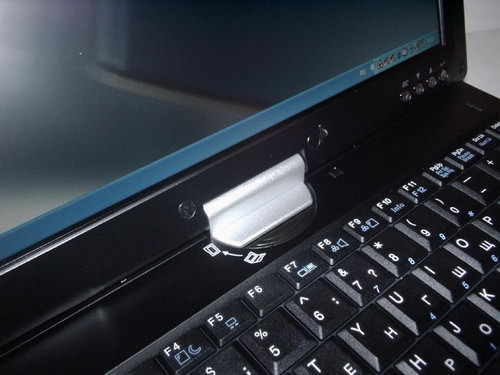
So, what has to be done to turn this stylish notebook PC into the tablet form? If some of you noticed it, the rear panel, or more precise, the upper strap of the rear panel has two hinges. Yes, it tips up thus doing two functions at the same time.
First, it is something sort of a leg to operate the notebook. It is very convenient to use the raised notebook when it is fitted on the table. Also, note that the manufacturer also marked all the connectors on the back side with care, with the leg lowered.
Secondly, having lowered this leg you allow the upper cover rotate on the hinge at 180 degrees.
The last step in this wonderful transformation is fastening the cover on the housing in such upturned positioned.
To that end, engineers from LG equipped LT20 with an inverted lock which can be easily re-snapped from one position to another.
There is one more thing definitely worth noting is the rotating element on which the LCD is fastened to the notebook PC housing. The quality and reasoning of its make is above all praises - you should have seen that. Even with the lowered leg strap, the screen will never turn by itself - you've got to apply some effort to lower the protective plate. This aspect is very important in operating the device as a regular notebook PC while using a spoon.
Next
 |
Content: |
 |
|
|
Top Stories: |
|
 |
|
MoBo:
|
|
|
|
VGA Card:
|
|
|
|
CPU & Memory:
|
|
|